Building PrenotamiBerlin with Cursor: a tiny Selenium bot that books for you
Introduction (Skip me if you just want the nerd stuff)
On a trip to Hong Kong in 2023, I decided to go for a solo walk on the outskirts of the Hill Kwun Yam Buddhist Temple. It was a beautiful day to explore the jungle around the city, and apparently also a very good one to lose my wallet.

I looked for it everywhere, and considering that Hong Kong has one of the lowest crime rates in the world, I ruled out the possibility that someone had stolen it.
Most of my cards and my Italian ID were gone, but luckily I still had my passport and a Revolut card in my backpack, so I could keep roaming around in Asia for a few more weeks.
As soon as I arrived in Italy, I booked an appointment to renew my ID card. But since my official residency is in Berlin, I could only get a “paper ID card”, something that looks like it’s straight from the 80s.
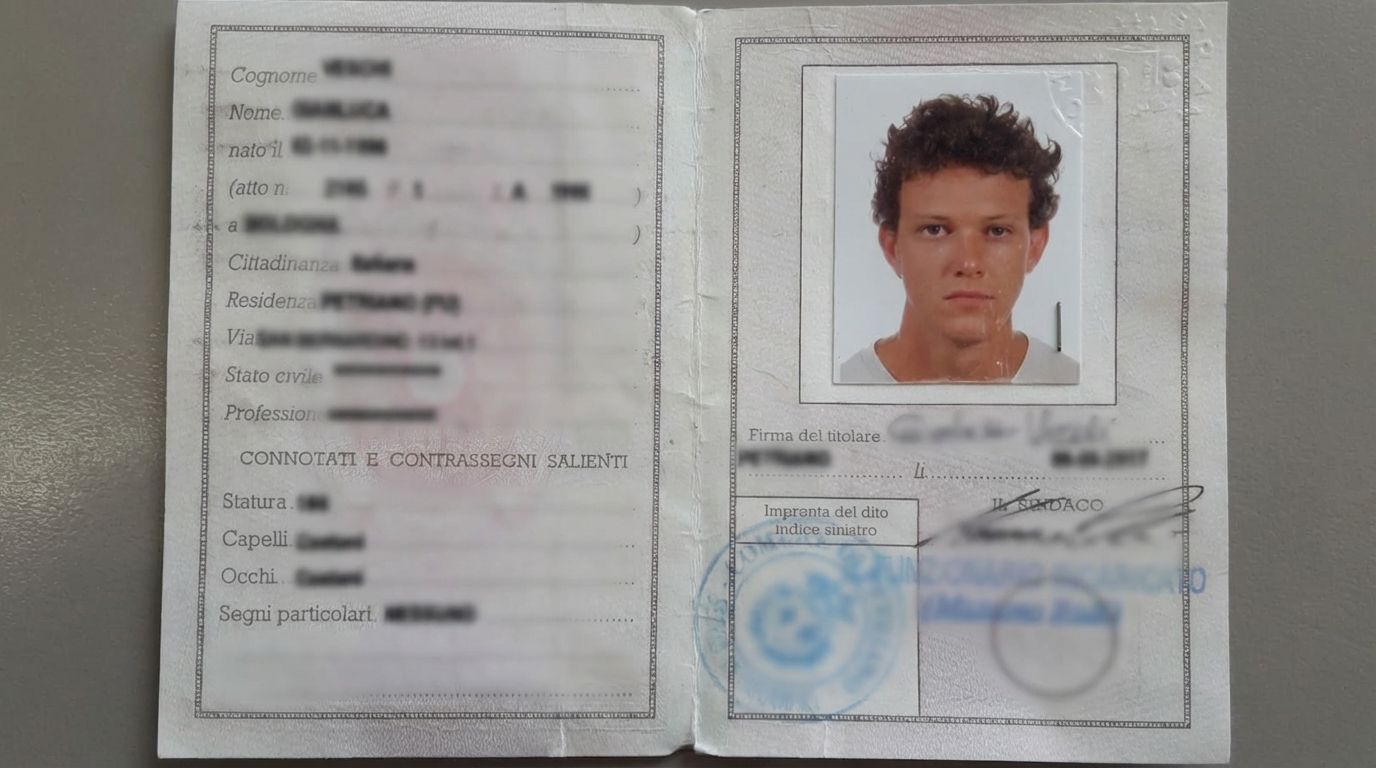
I liked having it around (and the occasional foreigner laughing at it), but Italy recently introduced a law requiring everyone to get a digital ID card. For me, that meant booking an appointment at the embassy in Berlin to renew it.
How complicated can it be? Well… good luck.
I tried to book an appointment through the embassy’s website and, for some reason, I couldn’t find any available slots. So I decided to send them an email, and this was their response:
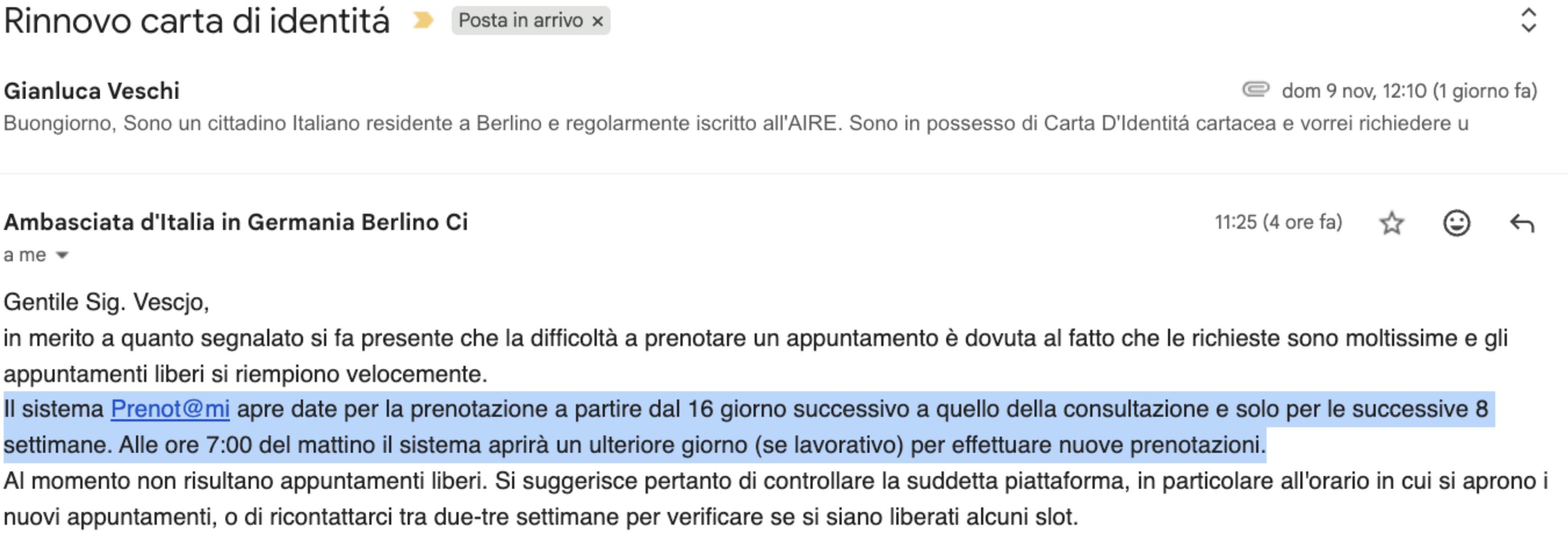
If you speak Italian, I challenge you to understand their message. If you don’t, don’t even bother trying to translate it. No LLM can yet understand this intricate bureaucratic jargon.
After reading their message a couple of times, I understood that:
- You can book a slot between the 2nd and the 8th week from today (yes, WTF).
- The embassy’s booking system refreshes every day at 7:00 AM.
- Every time the system refreshes, they open slots for one more day (if it’s a working day).
- Your best chance to get a slot is to wake up around 6:00 AM and try as soon as it’s ready.
There is no way on earth I’m waking up that early for this, so I thought to myself: there must be another way.
Nerd Stuff
I shipped a small side project called PrenotamiBerlin: a bot that helps me grab an appointment slot on prenotami.esteri.it right when new availability drops (for Berlin, that’s 7:00 AM).
The fun part: I built it with Cursor by quickly iterating on my attempts.
Selenium, explained without the fluff
Selenium is a library that lets your code control a real browser (Chrome, Firefox, …).
That’s the key idea:
- You tell the browser to open a URL
- You locate elements on the page (buttons, inputs)
- You interact (click, type, submit)
- You wait for the next page/state (because modern pages are async)
- You read what changed (DOM text, URL, presence of elements)
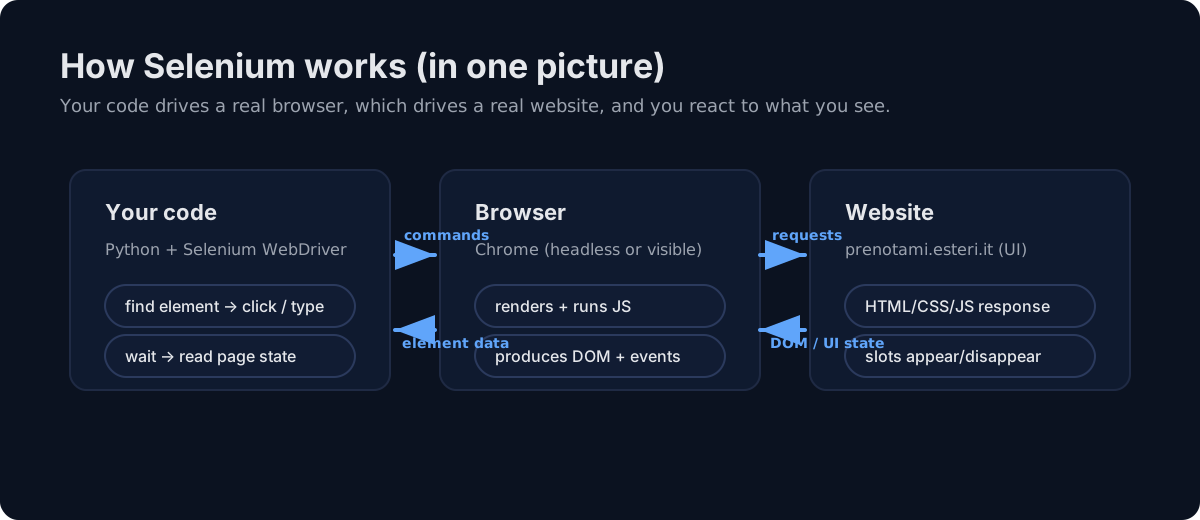
What the bot does (high level)
I started by exploring the website https://prenotami.esteri.it/. There’s a simple form where you input username and password. So first I told Cursor to write a script that opens the website and types my credentials (stored locally).
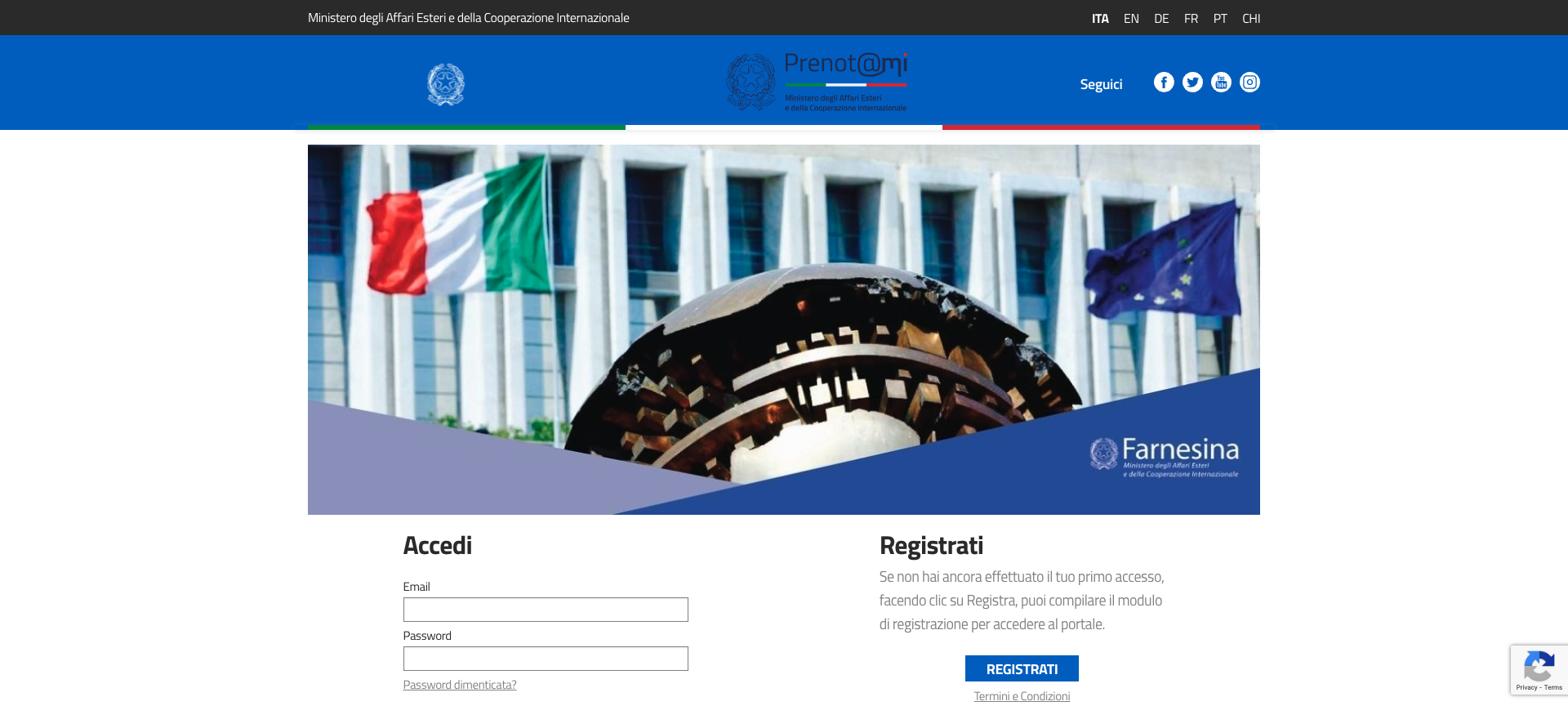
Cursor handled it with a simple prompt. Next, I moved on to navigating through the appointment request process, instructing Cursor to automate the necessary clicks using Selenium.
My manual progress hit a roadblock when the site displayed a banner stating there were no available appointments. Since I couldn’t proceed further, I had no idea what the next page’s UI looked like.
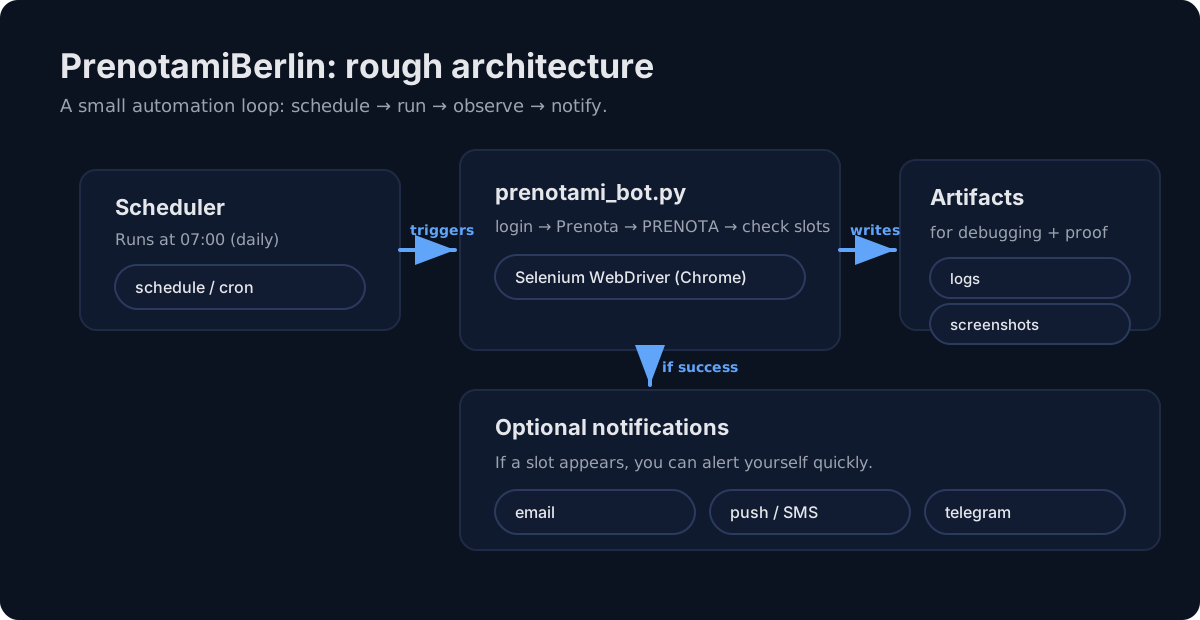
To get around this, I scheduled the bot to run at 7:00 AM sharp, just as new slots were expected to open, and set it up to take screenshots at each step.
I went to bed with a cron job running. After the first automated attempt, I woke up to find the bot’s screenshot of the page I hadn’t been able to reach before. It felt a bit like unlocking a new level in a video game.
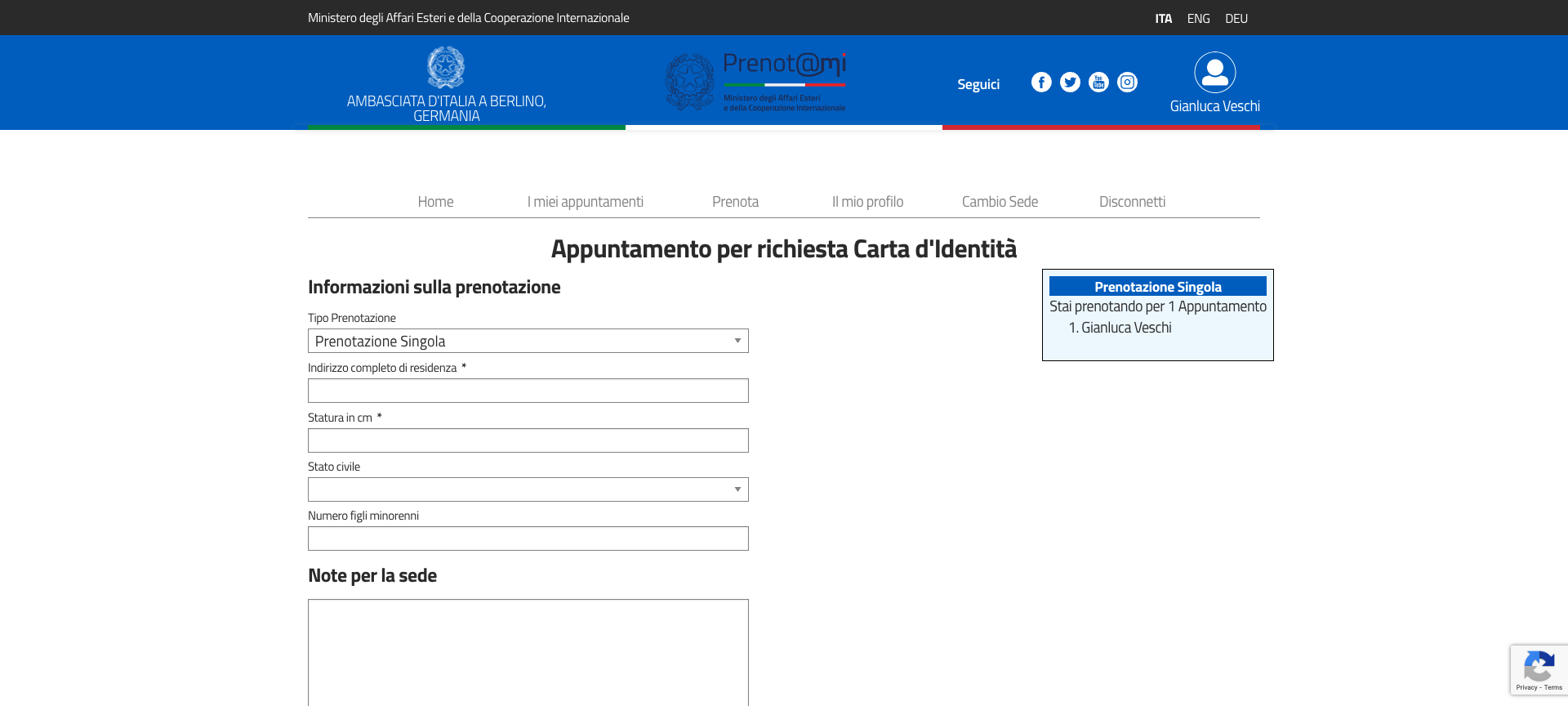
After a few rounds of trial and error, I finally saw the final UI, which included a calendar and a confirmation panel.
Three days and several attempts later, I successfully booked my appointment and received a confirmation email. All without having to wake up early!
Here’s a snippet of the code:
def navigate_to_booking(self):
    """Navigate to the booking section"""

    try:
        logger.info("Looking for 'Prenota' tab...")

        # Wait a bit for the page to fully load
        time.sleep(2)

        # Look for the "Prenota" tab (third tab) - it's a link
        prenota_tab = WebDriverWait(self.driver, 10).until(
            EC.element_to_be_clickable((By.LINK_TEXT, "Prenota"))
        )

        logger.info("Found 'Prenota' tab, clicking...")
        prenota_tab.click()
        time.sleep(2)

        logger.info("✓ Navigated to booking section")
        return True
The repository is basically:
prenotami_bot.py: open Chrome, login, click “Prenota”, click “PRENOTA”, check for slots, optionally fill the form and confirm.scheduler.py: run the bot at the right time (07:00), every day.- logs + screenshots: every run leaves a paper trail so you can debug what happened.
What you can do with Selenium (beyond booking slots)
Selenium is a “browser automation hammer”. Some legitimate use cases:
- Smoke-test critical user flows (login, checkout, booking).
- Regression testing after UI changes.
- Backoffice automation for boring internal workflows (where APIs don’t exist).
- Monitoring: detect when a page changes (copy, availability, pricing, etc.).
- Screenshot-based auditing: archive evidence of what a page looked like at a point in time.
Practical notes (the stuff you learn the hard way)
- CAPTCHAs change everything: once CAPTCHAs enter the flow, fully automated booking usually becomes harder.
- Don’t skip screenshots/logging: they’re the fastest way to understand failures.
The end
In a more advanced scenario, you’d inspect which HTTP calls are triggered by the website instead of relying on the UI. If the embassy changes the position of their CTAs, my bot would fail and I’d have to adjust it, but if you have a similar, simple scenario, just give it a try. You might be surprised :)
You can find all the related code here on my GitHub.
Thanks for reading,
Gianluca